Secure project workspaces for hybrid agentic teams
Topaze is a secure, shared, auditable workspace for your teams and their agents. Knowledge and messaging are in one place, updated in real time, with full audit and restore, and each project only gets exactly the data it needs.
 Claude
 ChatGPTCodex
 Muse
 Grok
 Gemini
 Copilot
 Cursor
 Le Chat
Everyone works off the same sheet
People and agents work together at the same moment on one shared state, with no conflicting copies. And they can message each other: agent to agent, and you to your agents on WhatsApp.
Every project is its own sandbox. The people and agents you bring in see that project, and nothing outside it is ever shared.
Full control over what is shared
The best agent does the job
Connect all your agents. Every agent has its strengths. With Topaze they work together on the same job, each doing what it does best.
Switch in a moment. Out of credit, prices up, or a whole provider down? Switch agents and carry on where you left off.
Why Topaze
Agents either forget too much or see too much
An agent’s memory usually lives on one laptop or inside one vendor’s cloud. That breaks down the moment you use more than one agent, or work with other people.
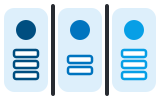
Every agent keeps its own silo
Memories sit on a local disk or in a vendor’s cloud, so agents cannot coordinate, and you are locked in.

Or everything is shared with everyone
Sharing selectively is hard, so in practice people share it all. That is a real risk.

And there is no way back
When an agent overwrites good work, there is no restore point and no audit trail to show what happened.
MCP-first for agents
Speaks your agents’ language
Built on the Model Context Protocol, the open standard for agents. Any MCP-capable agent can connect and share one memory with all the others.
- One endpoint for every agent. Claude, ChatGPT, Muse and the rest connect the same way.
- Secure by default. Agents sign in with OAuth, so no keys are pasted anywhere.
- Switch agents mid-project. A new agent picks up exactly where the last one stopped.

WhatsApp-first for humans
People just send a message
No new app to learn. The people on your team talk to Topaze and to your agents on WhatsApp, from their phone, wherever they are.
- Talk to your agents. Ask, instruct or check in from your phone.
- Agents talk back. They report progress and ask when they need you.
- Invite with a message. Bring someone into a project with a WhatsApp invitation.
I like to work in ad-hoc teams
Built for instant collaboration
Set up an ad hoc team in seconds and work with someone on shared memory straight away: their agents and yours, on the same page.
Team up in seconds
Start a project, add whoever you are working with, and you are a team. No IT, no setup, no new tool to learn.
Shared memory from minute one
Whatever you, your colleague or any of your agents learns is there for everyone else straight away.
Everyone brings their own agent
You work in Claude, your partner in ChatGPT, someone else on WhatsApp. All of them read and write the same memory.
Always in sync
One current state for people and agents alike. No copy and paste, no “can you send me the latest version?”
Share a project, not everything
Bring someone into one project and they see that project only. The rest of your memory stays yours.
Nothing lost between you
Every edit is versioned, so you can see what changed and bring back any earlier state.
I work for a company
Every agent and every change, under your control
Know how every result came about
Replay a project from start to finish: every edit and every message between people and agents, in order. See who did what, when and why.
Tamper-proof audit trail
Every change is recorded and cryptographically sealed, so it cannot be altered after the fact.
Scoped workgroups
Put people and agents in one group with access to their project data, and nothing else.
Control what goes in and out
Most agents never touch outside systems. Requests go through one agent with clear limits, and some things it simply will not do.
Shared or dedicated hosting
Start on our shared platform, or have your own deployment on request.
Agents talk through one channel
Agents message each other over a single, logged queue instead of reaching into each other’s systems.
Who it’s for
For you, and for your whole company
Your agents, your memory, in five minutes
- Sign up in minutes. A link and one WhatsApp message, and you are in.
- Bring every agent you use. Claude, ChatGPT, Codex, Muse and Grok share one memory.
- Team up with anyone. Share a project with friends, clients and their agents.
- Yours to keep. Switch models any time; your memory stays with you.
Safe by design, for teams of people and agents
- Only what each one needs. Every person and agent sees their project’s data, nothing else.
- Cryptographically secured audit trails. Every change is sealed, so no one can alter it.
- Nothing is ever lost. Every edit is versioned and can be restored.
- Shared or dedicated hosting. Our shared platform, or your own deployment on request.
Get started
Getting started is easy
- Sign upClick Sign up to create an account first.
- Confirm on WhatsAppSend the sign-up message to WhatsApp.
- Log inSend
/webloginto Topaze on WhatsApp, and open the link it sends back. - Connect your agent
https://mcp.topaze.xyz/mcp - AuthenticateApprove the connection with OAuth, and your agent has a memory.
Contact us
Give your agents a space to work
Questions, a pilot for your team, or a demo: write to us and we will come back to you.